MATLAB在绘图区添加箭头标注

1 前言

采用MATLAB中的annotation函数对已有绘图添加注释,并且提供了一个非常方便调整位置参数的小技巧。


2 准备数据

随机生成一些数据,rng(100)为设置随机数种子为100,保证每次运行代码产生的随机数是一样的。

1
2
3
4
5
6
%% 数据
rng(100) % 设置随机数种子
% 随机生成数据
x = 0:0.01:2;
y = 2*x.^2 + x + 1;
yy = y*(1+rand());

绘图

1
2
3
4
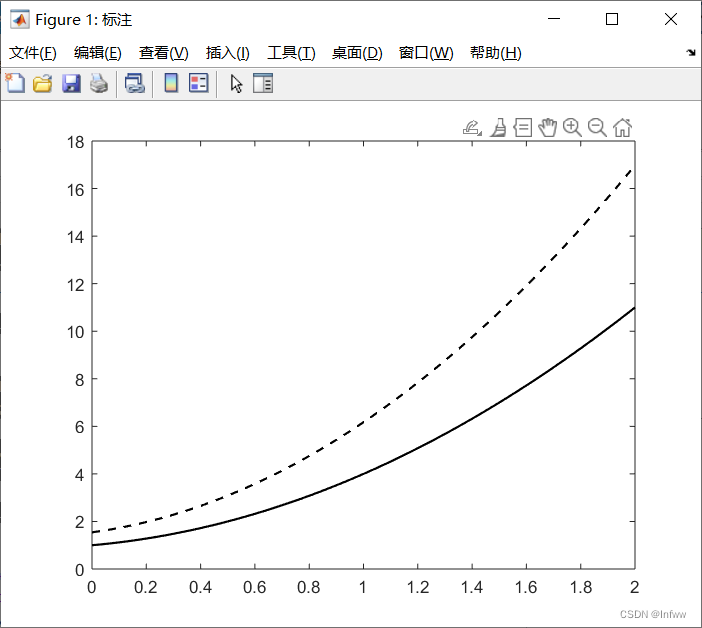
f = figure('Name','标注');
plot(x,y,'-k','LineWidth',1.3)
hold on
plot(x,yy,'--k','LineWidth',1.3)


3 添加注释

添加注释采用annotation函数:

annotation(lineType, x, y)创建一个在当前图窗中的两个点之间延伸的线条或箭头注释。将lineType指定为’line’、’arrow’、’doublearrow’或’textarrow’。将x和y分别指定为[x_begin x_end] 和 [y_begin y_end]形式的二元素向量。

对象类型 示例
‘line’ 注释线条 annotation(‘line’, [.1 .2], [.1 .2])
‘arrow’ 注释箭头 annotation(‘arrow’, [.1 .2], [.1 .2])
‘doublearrow’ 注释双箭头 annotation(‘doublearrow’, [.1 .2], [.1 .2])
‘textarrow’ 注释文本箭头。要在文本箭头的末尾添加文本,请使用string属性。 annotation(‘textarrow’, [.1 .2], [.1 .2], ‘string’, ‘my text’)

这是最常用的是textarrow,下面重点介绍该类型。


4 textarrow

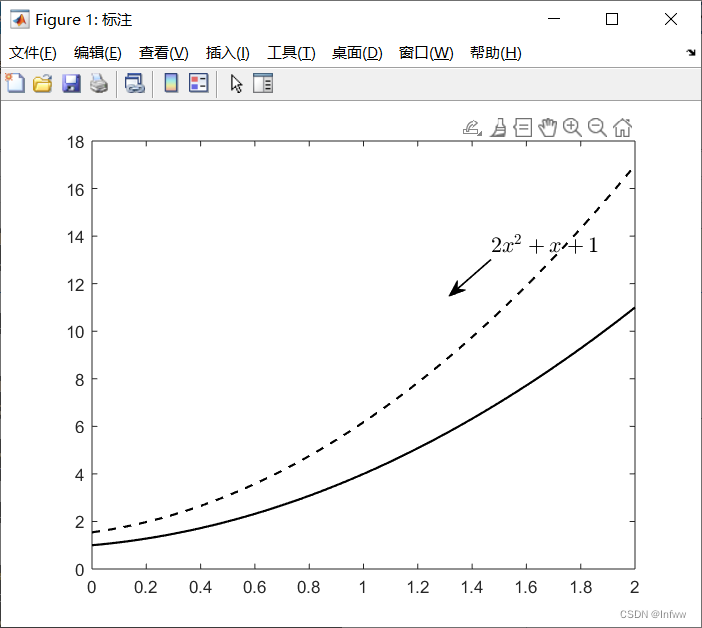
这是变量Str为注释的内容,[0.5,0.5],[0.5,0.5]和an.Position表示箭头两点的坐标以及位置,刚开始可以随便给,后续再进行调整。

1
2
3
4
5
6
% 添加注释
Str = '$2x^2 + x + 1$';
an = annotation('textarrow',[0.5,0.5],[0.5,0.5],...
'Interpreter','latex','String',Str,'FontSize',13);
an.Position = [0.7,0.7,-0.06,-0.07];
an.LineWidth = 1;

可以看到,上图中已经出现了注释,但是注释的位置不是自己想要的位置,下面来对注释的位置进行调整。


5 调整注释位置

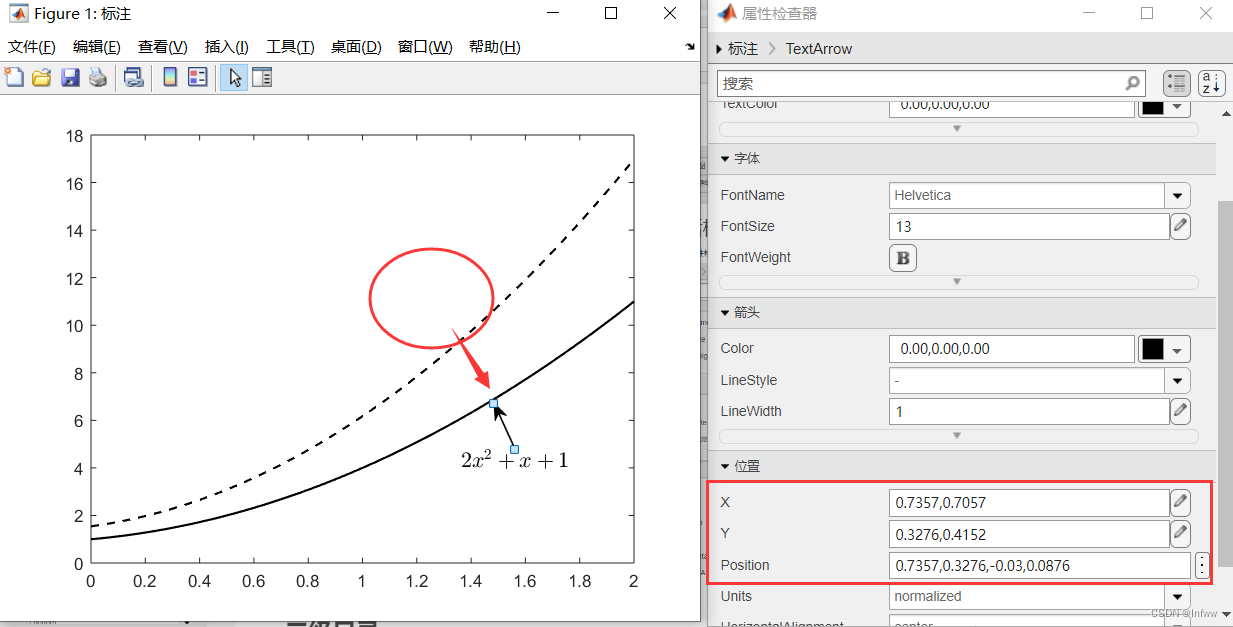
点击这个“打开属性检查器”按钮后会弹出右边的属性对话框。
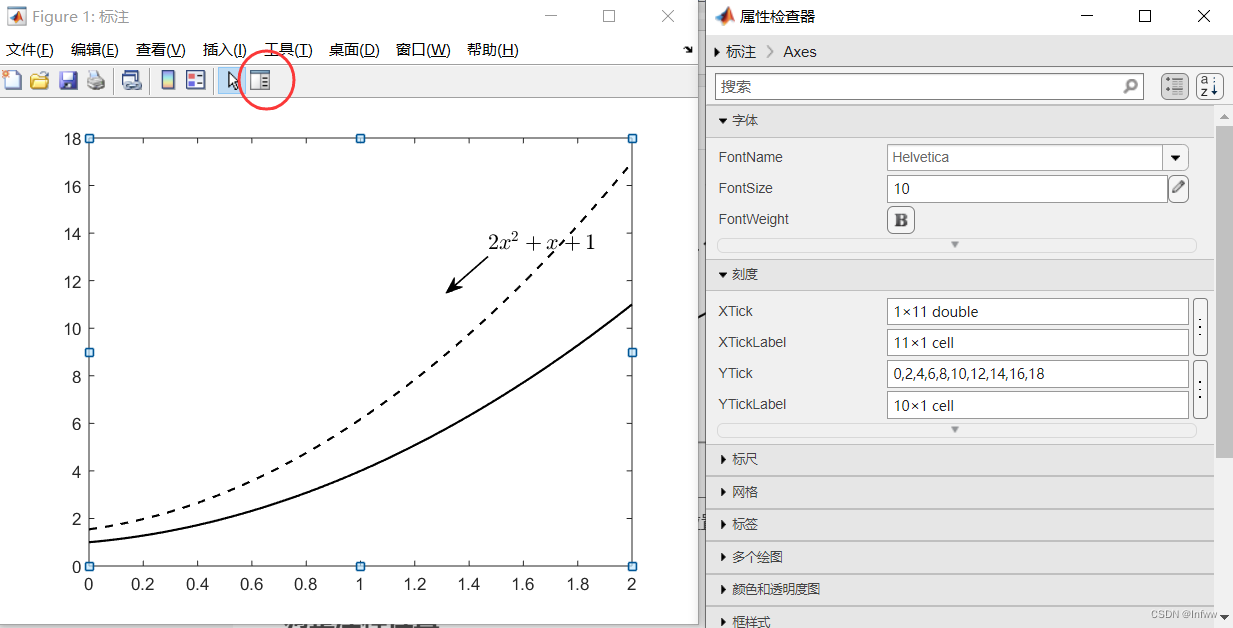
然后首先点击注释的箭头,然后在右边的属性对话框点击位置。
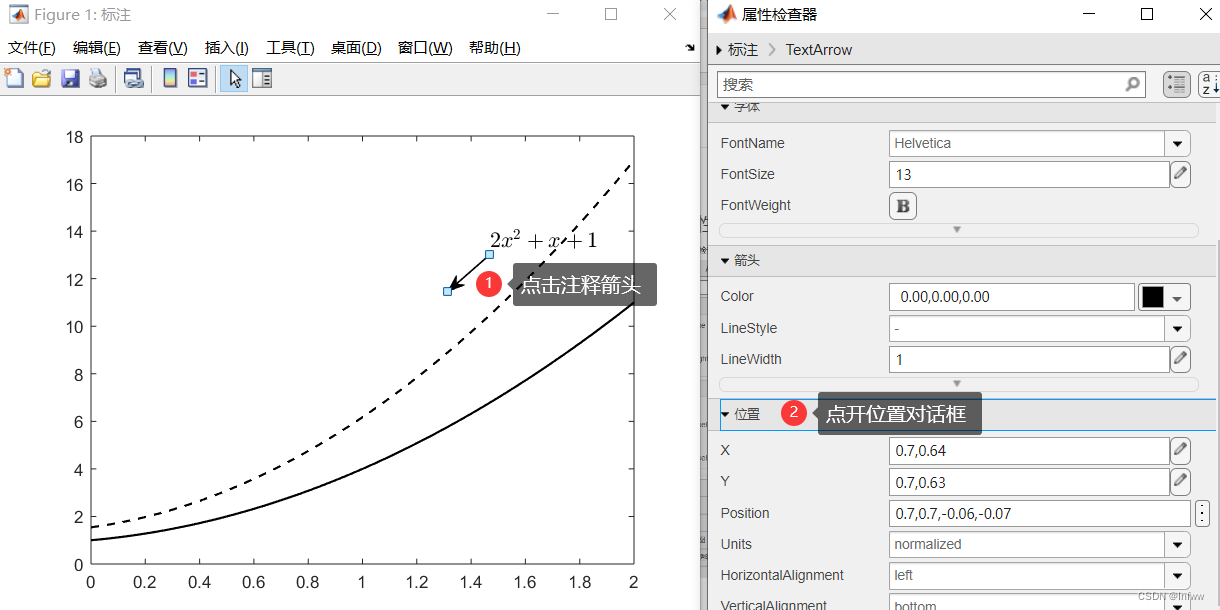
这个时候可以手动拖动注释箭头到合适的位置,查看属性对话框中的位置下的X、Y和Position,将值复制到对应数组中。
对应关系如下图。
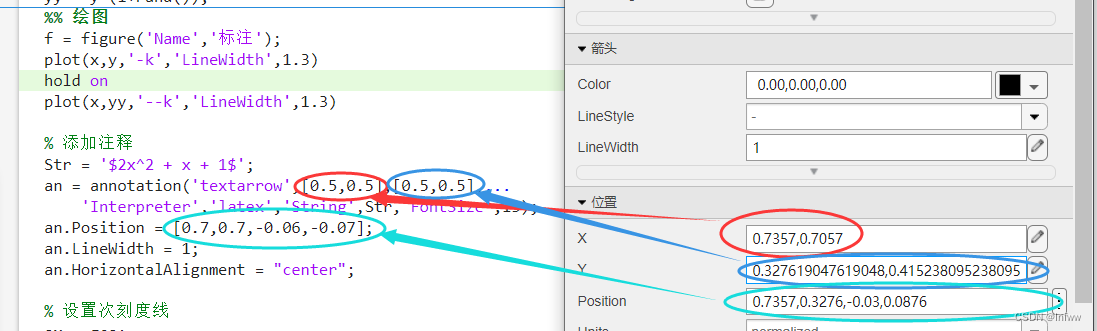
相应修改后的代码如下。

1
2
3
4
5
Str = '$2x^2 + x + 1$';
an = annotation('textarrow',[0.735714285714286,0.705714285714286],[0.327619047619048,0.415238095238095],...
'Interpreter','latex','String',Str,'FontSize',13);
an.Position = [0.735714285714286,0.327619047619048,-0.03,0.087619047619048];
an.LineWidth = 1;

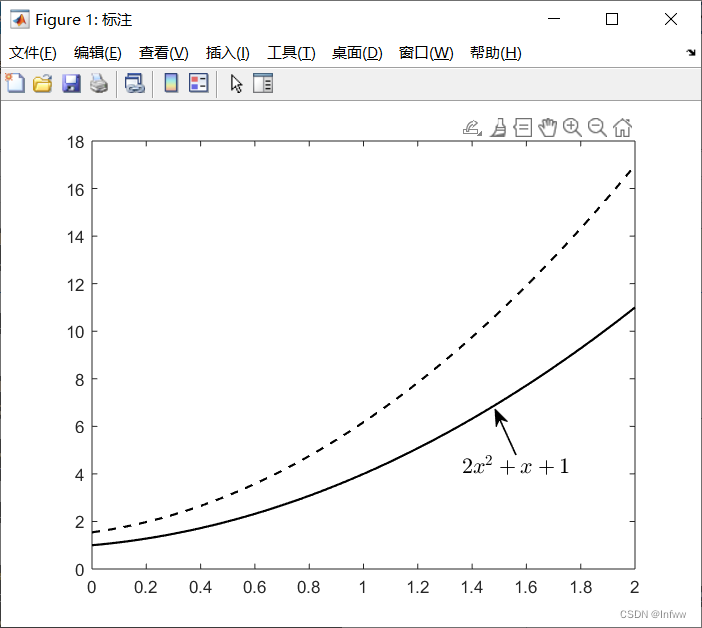
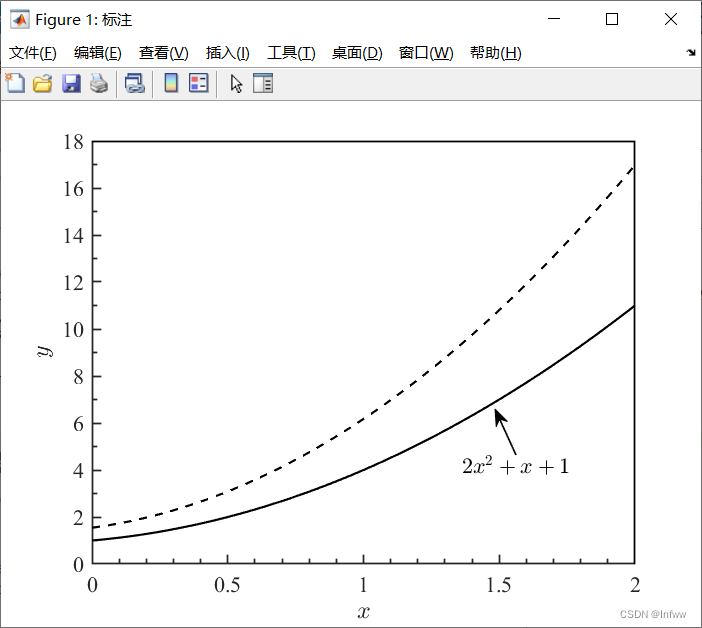
再次运行,就可以得到相应位置的注释了。


6 细节调整

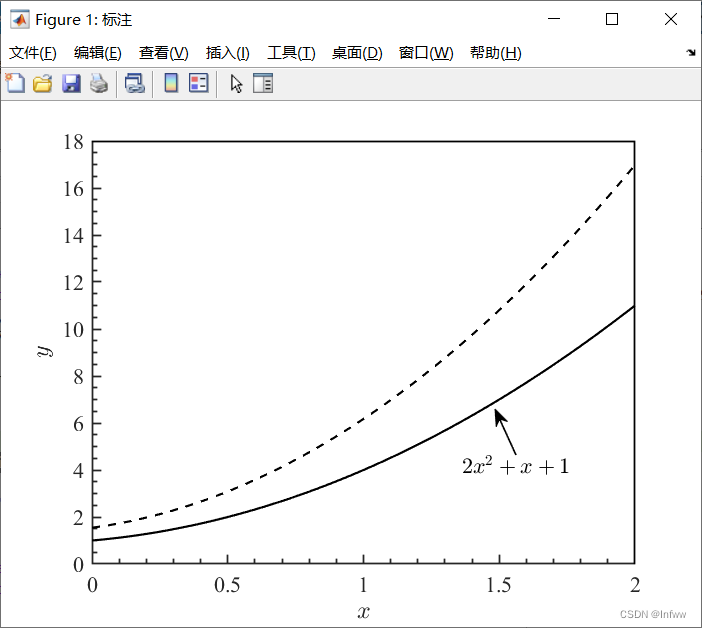
细节调整详细的解释可以看这篇文章,此外这里还额外设置了设置次刻度线范围(一个主刻度中次刻度线的数量)。

1
2
3
% 设置次刻度线范围
ax = gca;
ax.YAxis.MinorTickValues = 0:1:18;

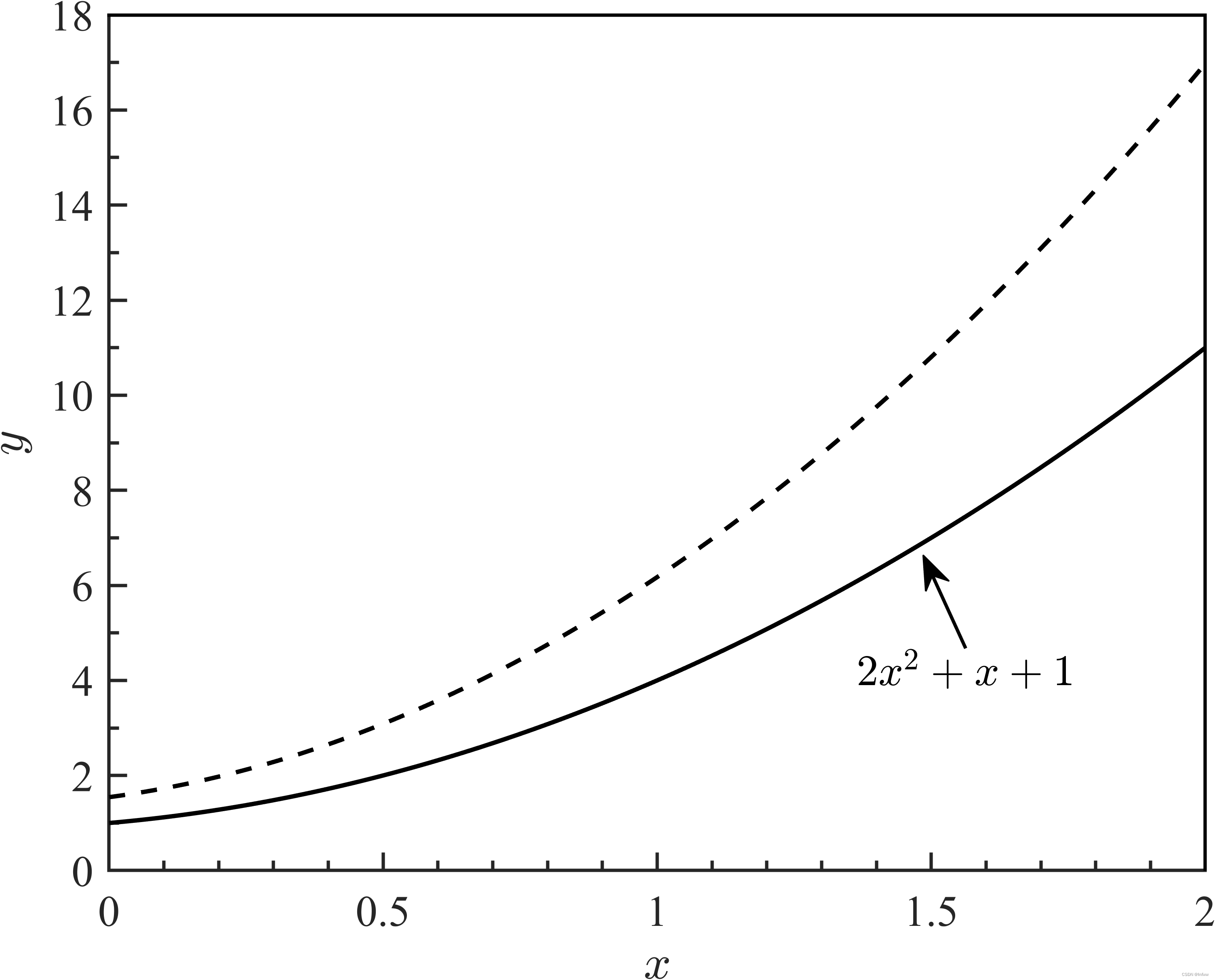
若不设置,则为下面的左图,右图为设置后的样式。

其他细节调整:

1
2
3
4
5
6
7
8
9
10
11
12
13
14
15
16
17
18
19
20
% 设置x轴的属性
xlabel('$x$','Interpreter','latex')
set(gca,'XMinorTick',true)

% 设置坐标轴的属性
ylabel('$y$','Interpreter','latex')
set(gca,'YMinorTick',true)

% 设置坐标轴的粗细
set(gca,'lineWidth',1)

% 设置刻度线的长度
set(gca,'TickLength',[0.015,0.05])

% 去除上、右边框的刻度线
box off % 取消边框
ax1 = axes('Position',get(gca,'Position'),'XAxisLocation','top',...
'YAxisLocation','right','Color','none','XColor','k','YColor','k'); % 设置坐标区
set(ax1,'linewidth',1)
set(ax1,'XTick', [],'YTick', []); % 去掉xy轴刻度

7 保存图片

1
2
%%  保存图片
exportgraphics(f,'Infww_an.png', 'Resolution',600)

总代码

1
2
3
4
5
6
7
8
9
10
11
12
13
14
15
16
17
18
19
20
21
22
23
24
25
26
27
28
29
30
31
32
33
34
35
36
37
38
39
40
41
42
43
44
45
46
47
48
49
50
51
52
53
clc;clear;close all
set(0,'defaultfigurecolor','w');

%% 数据
rng(100) % 设置随机数种子
% 随机生成数据
x = 0:0.01:2;
y = 2*x.^2 + x + 1;
yy = y*(1+rand());
%% 绘图
f = figure('Name','标注');
plot(x,y,'-k','LineWidth',1.3)
hold on
plot(x,yy,'--k','LineWidth',1.3)

% 添加注释
Str = '$2x^2 + x + 1$';
an = annotation('textarrow',[0.735714285714286,0.705714285714286],[0.327619047619048,0.415238095238095],...
'Interpreter','latex','String',Str,'FontSize',13);
an.Position = [0.735714285714286,0.327619047619048,-0.03,0.087619047619048];
an.LineWidth = 1;
an.HorizontalAlignment = "center";

% 设置次刻度线范围
ax = gca;
ax.YAxis.MinorTickValues = 0:1:18;
% 设置全局字体
set(gca,'FontName','Times New Roman','FontSize',13)

% 设置x轴的属性
xlabel('$x$','Interpreter','latex')
set(gca,'XMinorTick',true)

% 设置坐标轴的属性
ylabel('$y$','Interpreter','latex')
set(gca,'YMinorTick',true)

% 设置坐标轴的粗细
set(gca,'lineWidth',1)

% 设置刻度线的长度
set(gca,'TickLength',[0.015,0.05])

% 去除上、右边框的刻度线
box off % 取消边框
ax1 = axes('Position',get(gca,'Position'),'XAxisLocation','top',...
'YAxisLocation','right','Color','none','XColor','k','YColor','k'); % 设置坐标区
set(ax1,'linewidth',1)
set(ax1,'XTick', [],'YTick', []); % 去掉xy轴刻度

%% 保存图片
exportgraphics(f,'Infww_an.png', 'Resolution',600)